# Portfolio Detail Page Template Options
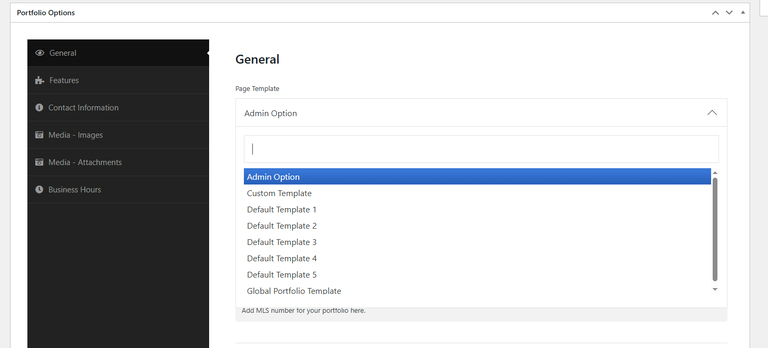
This setting controls the layout used for the Portfolio Single Detail Page. You have three options to choose from: Portfolio (Edit) -> Portfolio Options → General → Page Template (Option Explanation).
**Admin Option (Default)**
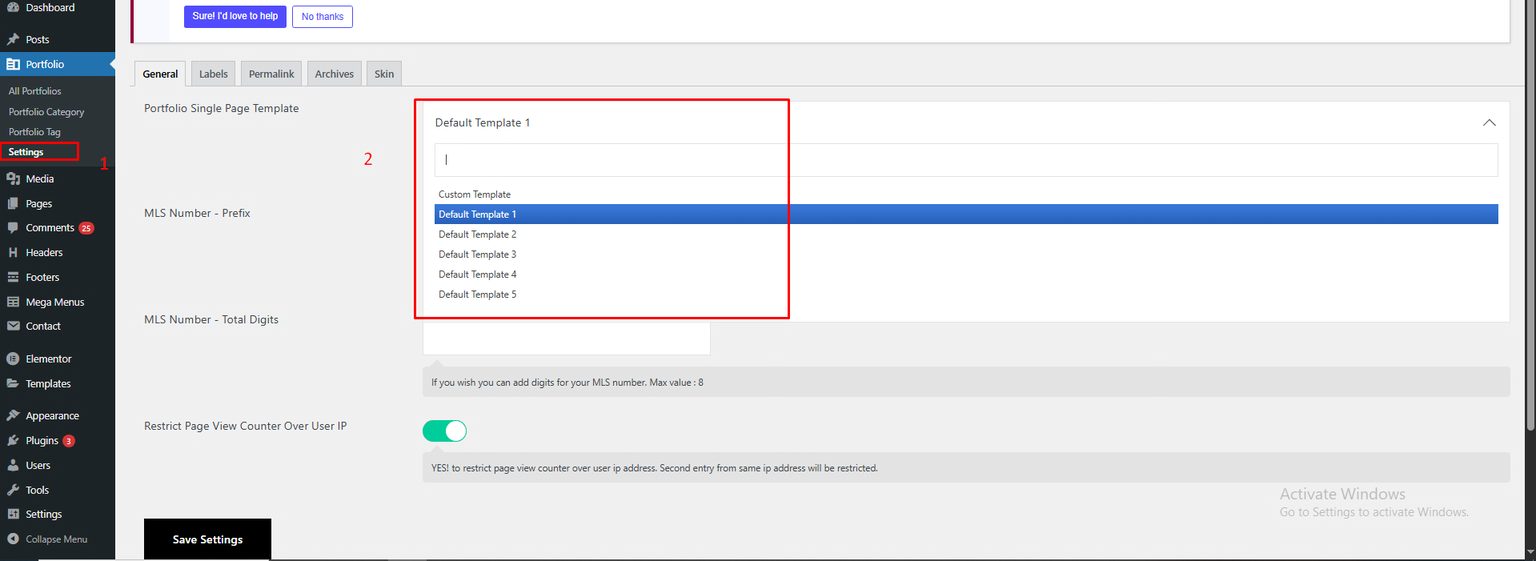
* If you select **"Admin Option"**, the system will use the template set under: **Dashboard -> Portfolio → Settings → General (tab) → Portfolio Single Page Template**
* This is a global setting. All portfolio detail pages will follow the template chosen here.
***
**2. Custom Template**
* If you select **"Custom Template"**, you can design a unique layout for each portfolio detail page using **Elementor**.
* Great for creating individual layouts tailored to specific projects.
***
**3. Default Template**
* Selecting this option gives you access to **5 predefined portfolio detail page templates**. Those are:
* **Default Template 1**
* **Default Template 2**
* **Default Template 3**
* **Default Template 4**
* **Default Template 5**
* These are ready-made designs for quick use without extra customization.
**📝 Assigning Your Own Custom Template Globally**
If you want to use your own custom-designed page as a global template for portfolio details:
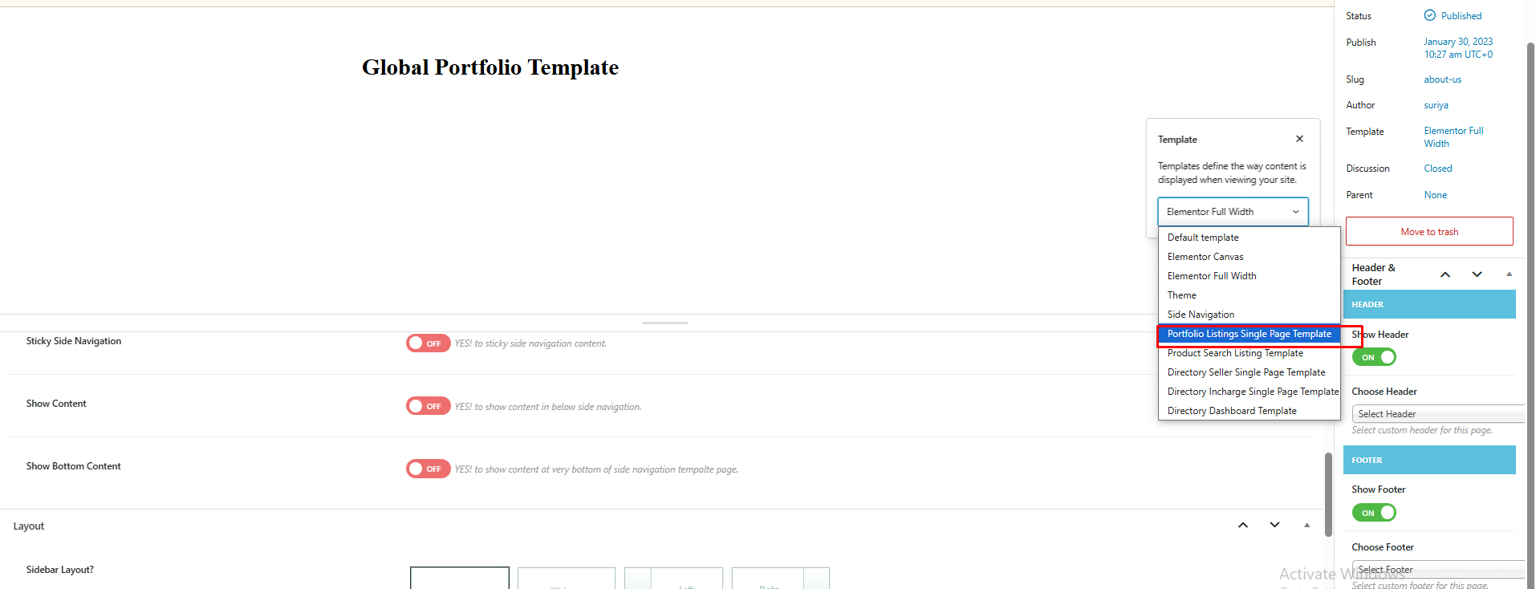
1. **Create a new page** in WordPress.
2. Assign the page template: **“Portfolio Listing Single Page Template”**
1. Design the page using **Elementor** and **Portfolio Addons (Single Page)**.
2. Once you're done designing, **save the page**.
3. Now go to: **Portfolio Options → Settings → General (tab) → Page Template** and select your newly created page (e.g., **"Global Portfolio Template"**) as the global template. *Refer to the image above for reference.*
**Use case**: Easily manage and update a consistent layout across all portfolio detail pages using a custom design.